Wednesday, June 10, 2020

Spelling and Math Practice with EdShed {A Homeschool Review Crew Review}

Disclaimer: I received a FREE copy of this product through the HOMESCHOOL REVIEW CREW in exchange for my honest review. I was not required to write a positive review nor was I compensated in any other way.


We were given the opportunity for the children to practice spelling and math with both Spelling Shed and Math Shed. During this review period, the younger two children have been the primary users of these programs, though Tabitha and Amelia are using it as well. 


We were given a one-year subscription to both Spelling Shed and Math Shed. The children have been able to access their accounts on the desktop computer and on their tablets.   


Each child has their own account login information. It was easy to set them up as my students, and they didn't have any issues logging in. One of the first things they wanted to do was change their avatar. There are basic changes, such as the facial features, hair, plain shirts, and plain backgrounds, that they can do at any time. 


Other changes need honey pots, which are earned while working and playing on the site. With these honey pots they can get fancier shirts, patterned backgrounds, and accessories. 


My children always enjoy playing around with their avatars, so this was quite the incentive to earn those honey pots. 

So, what exactly do children have to do to earn these pots? In other words, what do they do on the site?

Let's take a look at each section. When they first log in they will have the choice between Spelling Shed and Math Shed.


Let's begin with the children's favorite, Spelling Shed. 


There are different "stages" the children can choose from: Stage 1 & 2, Stage 3, Stage 4 & 5, or More Lists. 


When we first began, I had the younger children start in Stage 1 & 2, because I wasn't sure where to find information on what words were included in each stage. 

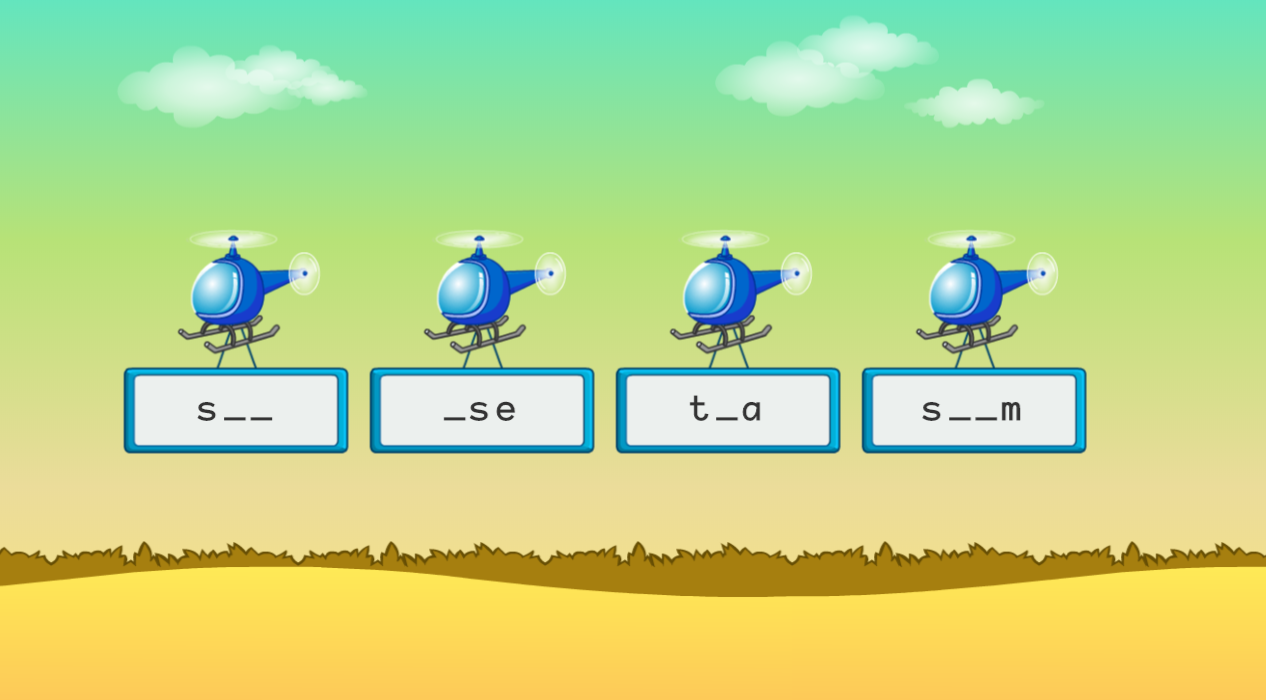
Once they click on a stage, they are given the choice between playing, creating a hive, and bonus games. 


In the normal play section, the children get to practice spelling with four different difficulties: Easy, Medium, Hard, and Extreme. 

In Easy mode, the child gets to see and hear the word and a definition before having to spell it.


They are then given all the letters for the word and have to unscramble them by clicking on them in order before the time runs out (there is a yellow bar across the top of the screen that flows from left to right as time counts down. They get approximately half a minute to spell the word, and they are able to backspace if they realize they misspelled it. They can also hear the word again if they need to and pause if they need to go to do something. 


Once they are done spelling the word, they click the green check mark at the bottom of the screen. They are given immediate feedback on whether they spelled the word correctly, or incorrectly.

I love that it shows the correct spelling and reminds the student what the meaning of the word is plus the part of speech, whether they get it correct or not. If they are right, they earn points.


If they are incorrect, they don't.


Once they complete all 10 words, they see their results.


If they choose the Medium difficulty, they play the same way, except they don't get to see the words first. However, in Difficult mode, they are given more scrambled letters than are required for the word. 


In the Extreme level, children have to click the letters from a honeycomb keyboard, plus they have approximately 10 seconds less to figure the word out.


Harold also enjoyed being able to play the different games. 


Bee Keeper reminds me of the old game Hang Man. Blank spaces are given and the child is to guess letters to figure out the word. For each letter they get wrong, they lose a bee. However, if they figure out a word, they get three of those bees back, plus earn a honey pot.


Missing Word gives the children a sentence and they have to fill in the missing word. There are again the four levels of difficulty. Easy allows the children to choose the correct spelling from between two words.


In the Medium level they need to pick between four words. But in the Difficult level they have to spell it the way they do in the regular play, by clicking  on the letters. And in Extreme level they have to use the full honeycomb keyboard again. 

These are some really fun ways for children to work on spelling. 

For the older girls, I had them pick a list from their grade lists under curriculum which could be found if they clicked on "More Lists."


From here they have the choice of the Spelling Shed lists, Dolch lists, Fry lists, or grade level lists. They have lists for 3-4 grade, 5-6 grade, and 7-8 grade. 

The children spent the majority of their time using Spelling Shed as we haven't been very consistent with spelling this year. But, I did have them use Math Shed as well. 


They could choose to work on Number Bonds, Times Tables, Powers of 10, Add & Subtract or choose from "More," which gave them the choice of Year 4 Mulitplication Tables Check or Negative Numbers. 

As we have been working on multiplication, Harold and Harold spent most of their time in the Times Tables section. They can choose from lots of different facts.


As with Spelling Shed they have different levels of difficulty they can choose from. Though there are only three instead of four. 

They are shown a problem and are to choose the answer from the different asteroids.


Easy level has them pick between three possible answers, where Medium level has them pick between six. In the Difficult level they have to type their answer in on the calculator.

I also appreciate that a I can go into my account as a parent and check their progress.

We have been enjoying practicing math and spelling with this fun site. I love that there are different stages of words in Spelling Shed, plus different levels of difficulty for each stage. However, I wish the words weren't given so randomly and that if they chose Easy from Stage 1 & 2, they could then more on to the next difficulty level with the same words, giving them a chance to practice with the same words. 

Either way, I do think this is a great and fun way for children to work on math and spelling skills. And I highly recommend it.

You can find EdShed on Facebook, Twitter, Instagram, and YouTube.

Don't forget to click on the banner below to see what my fellow Crew Mates had to say about Math Shed and Spelling Shed.

Spelling Shed & Math Shed {Education Shed Reviews}

Wednesday, June 3, 2020

Math and Handwriting Practice with Page a Day Math {A Homeschool Review Crew Review}

Disclaimer: I received a FREE copy of this product through the HOMESCHOOL REVIEW CREW in exchange for my honest review. I was not required to write a positive review nor was I compensated in any other way.


Thanks to the Homeschool Review Crew, Harold and Hannah have had the opportunity to work on improving their math-fact fluency and their cursive handwriting with resources from Page a Day Math. 


Page a Day Math offers both physical kits and downloadable digital kits.  All of the materials we received were downloadable files, though some of my fellow Crew Mates were able to review physical kits. As I decided to work on multiplication with the children first, I chose the Multiplication Starter Kit. But, I also want to move into division, so I chose the Division Starter Kit as well. These kits each include 12 books, each with 14 days worth of work. Also included are bonuses. There are flashcards, assessment pages, a progress chart, and two cursive handwriting books in each kit. 

You can also purchase digital flashcards and assessments separately, so I decided to get the flashcards and assessments for addition and subtraction. I figured we could use them for assessing their knowledge and allowing them to practice their math facts. 

What I was really interested in was the opportunity for the children to start working more consistently on their cursive writing. The Multiplication Starter Kit came with I Can Write in Cursive and Beautiful Biology! Cursive Practice, and The Division Starter Kit came with Adorable Adjectives! Cursive Practice and Eats and Treats! Cursive Practice. We were also able to choose any of the other handwriting books we were interested in. So, I chose Scenic States (seeing as we have been learning about American history), Fun Physics, and Cool Chemistry. 

Each of the math books in the kit follows the same format. Each one focuses on the math facts of one number, and each book spans the facts from 0 times the number to 12 times the number, with a final page for review. Each day the child will work on one number's facts on the first page, and review what was already learned on the second page. Technically the pages are front and back, thus the "page a day" name. Of course, that is with the physical book. 

Front:


Back:


As you can see, these books are going to be supplemental to your math curriculum. They don't teach what multiplication and division are, they just allow a child to practice their facts, while working on their handwriting.  And the color-coded flashcards offer even more practice. 


The flashcards need to be printed out, preferable in color and on sturdy cardstock, cut, and folded. After giving the children the first two math assessment pages, I discovered they both needed to start with their facts for 3 and 4. So, I gave them the flashcards and the workbook pages.


I just have them work on a page a day after drilling with the flashcards.


They have actually been spending more time with the cursive handwriting book. I had them start with I Can Write in Cursive, so they could learn all the letters. 


For each letter the child needs to trace a couple of rows of capitals and a couple of rows of lowercase, and then a few upper and lower case pairs.


I actually had the children work on these a little differently, as I wanted us to get through the alphabet and start working on joining the letters into words. 

I gave them three letters a day. They were to do two full lines of each letter, one uppercase, the other lowercase. Then, on the following day, they were given the next three letters. They were to do one uppercase and one lowercase letter (not row, just a single letter) for each of the previous letters practiced, and the full rows of the new letters. In this way, the children have made their way through the alphabet and have started on words. 

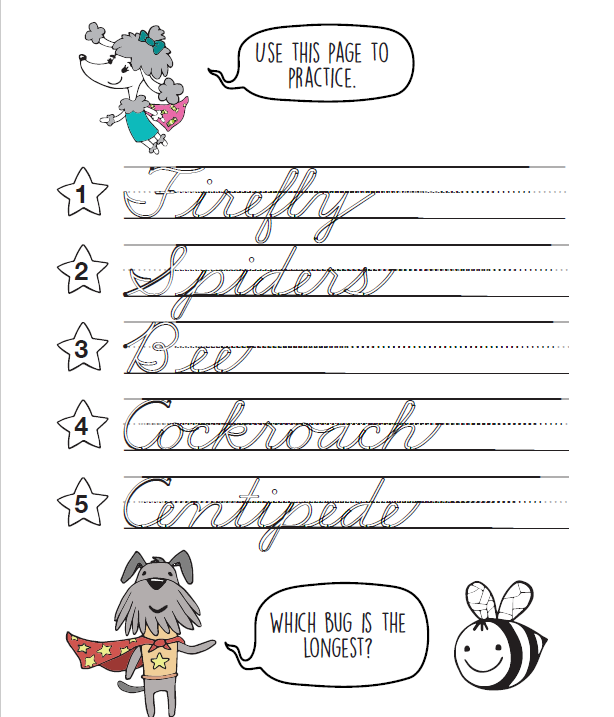
Here's a look at a page from the Eats and Treats! Cursive Practice book.


One thing I would have prefered to have had in these books is blank lined pages for the children to practice on. I did have my own to print out, but I found it a bit weird that this program only has children tracing, and doesn't leave room for any free-hand practice on the page.


So, I had the children trace one word, write it a couple of times on lined paper, and bring it to me to check. Then they re-traced the word, and practiced again. If there were any letters they were struggling with, I showed them an example and had them practice the letter, without tracing it.


Harold has really been enjoying writing in cursive. He volunteered to do extra work to perfect them.


Younger children will appreciate the cute Math Squad doggies found throughout the book. In the math books there is a picture of one of them on each page, cheering the child along. And they all join together on the certificate at the back of the book.


In the I Can Write in Cursive book, the Math Squad reminds the child what sound the letter makes when they encourage them to color the picture that starts with the sound. 


And in the themed handwriting books, they ask questions in relation to the words on the page. 

Here's a sample from Beautiful Biology:


And a sample from Eats and Treats:


Harold really loves these books, especially the handwriting. He says those are his favorite. Hannah isn't a huge fan, though she couldn't really give me a reason. I'm wondering if she thinks they are a bit childish for her, seeing as she is in fourth grade.  However, I appreciate that she has a way to practice her math facts and her handwriting. Maybe the fact that she needs to write the numbers over and over will help her not to write certain numbers backwards anymore.

These are cute little workbooks to help your early elementary child(ren) work on math fluency and handwriting. I think they could be a great addition to your homeschool. And the digital books are awesome because you can print the pages out over and over for more practice if necessary.

You can find Page a Day Math on Facebook, Instagram, Pinterest, and YouTube.

Don't forget to click on the banner below to see what my fellow Crew Mates had to say about Page a Day Math.

Daily Math & Handwriting (Print + Cursive) {Page a Day Math Reviews}

Monday, June 1, 2020

Practicing Reading with Reading Kingdom {A Homeschool Review Crew Review}

Disclaimer: I received a FREE copy of this product through the HOMESCHOOL REVIEW CREW in exchange for my honest review. I was not required to write a positive review nor was I compensated in any other way.


Thanks to the Homeschool Review Crew, Harold was given the opportunity to use Reading Kingdom for the second time. The first time was five years ago when he was only three years old. Hannah, who was five at the time, was using it as well. Harold was a bit young for the program at that time, and I was curious how he would do with it now that he is eight years old. That, and he was begging to try it out. 


Created by Dr. Marion Blank who is one of the world's top experts in reading, Reading Kingdom is more than a learning to read program. It is designed for children ranging in age from 4-10 years old. Children will learn sounds, but will also work on meaning, grammar, comprehension, sequencing, and writing. Which is why I figured I could still use it with Harold who is already reading chapter books. Though he was using it on our desktop computer, it can also be used on any device with an internet connection, including iPads, Android devices, and Chromebooks. 


We were given a 12-month subscription to Reading Kingdom. 

When a child first gets on the program they are to take an assessment to see where they are going to place in the program. The children are greeted by the friendly owl and the parent is reminded not to give any help during the assessment. I remember from five years ago that the children were not fans of the assessment because they only have a certain amount of time to click the answer before they are shown the correct answer (it's the same in the lessons too). I admit, I figured now that Harold was more familiar with the keyboard, it would be easier for him. The problem is, he still has to search for the letters on the keyboard, so he probably took longer than he should have. This is one of the issues I have with this program. A child may know how to read, but if they are not familiar with the keyboard, it hurts their placement. 

When the children were younger, they placed in Reading & Writing Part 1. This includes Seeing Sequences and Letter Land. This time around, Harold was obviously beyond that, and placed in Reading & Writing Part 2.

As you can see from the above screenshot, there are five different levels in this section. Harold was originally placed in Reading/Writing Level 3, and I had him stay in his assigned level for a while. However, he was getting bored, so I was able to skip him to the next level. The little check mark icons show that Harold was not required to take three different levels. He tested out of the first 2, and then, after he had spend some time in it, I skipped the third. The hourglass shows where he is currently working and the trophy shows that his performance is excellent. 

Each level has several "books" that a child works toward reading. The following screenshot shows the list of books in Level 4. Harold is currently working in Book 19: Birds and Flying.


Actually, he has almost completed it:

For each book there is a list of words to work on. Each word is the focus of the day's lesson. There are activities that a child will work on with these words every day. There are some that appear to be more prevalent, such as: Savvy Sound, Stay n Play, Pick the Picture, Find and Fill, and Sentence Maker. I've also seen the following: Detect & Select, Write in to Read, and Replace the Space. However, the child is not aware of these different activity names, they just move from one activity to the next. The activity names can be found by clicking on each blue highlighted word in the word list (as seen in the above screenshot). 

As you can see, a child has the option to go back and replay older lessons. I actually did that to get the following screenshots of a lesson, because I didn't want to disturb Harold while he was working.

Here's a look at the kinds of activities a child will work on. These are from Level 3, but the activities in Level 4 are about the same.

There is one word that is the focus of each lesson. The word for this lesson was "see." The first thing the student has to do in this activity is to choose which word is "see"or a form of "see," such as "seeing."


Once the child has identified the word a few times, they are to choose the words they hear in order to form a sentence. In the screenshot below, the words in black font are the words that the student was to click on after they heard it spoken.


Then they practice typing the word that is the focus for the lesson.


There is then more practice with the word, after they pick a picture that matches what they are told to click on. In this instance, the student was to click on the thing that could "see." Then they were to type it out again.


In Find and Fill, the student is to choose which unfinished word can become the focus word. I think this is a great way for the child to really see if they know the word. And yes, when they click on the correct word, they then need to type out the missing letters in the correct order.


Then there is more practice in choosing the correct words for the sentence. This time around, the entire sentence needs to be typed by the student without getting to see the sentence.


The final activity is sentence maker, where the child just needs to click on the correct word.


Due to the fact that Harold can already read chapter books, he was getting quite bored with these lessons. Which is why I jumped him ahead to Level 4. Unfortunately, Level 4 is more of the same, very repetitive in learning the word from the list. I guess I was expecting the harder levels to add a bit more when it came to grammar and comprehension. 

While the program is adaptive and is supposed to allow the student to skip the word lesson for words they already know, I am confused as to why Harold was able to skip some lessons, such as for "cold" and "seem," but is still having to work through "hot" and "too." 

Unfortunately, Harold is really fighting me when it comes to continuing with this program. He sees it as too boring and easy. I have tried to encourage him, by letting him know that he can be working on improving his typing and memorization and his focus. When I have watched him, the mistakes he makes are simple, such as forgetting to capitalize the first letter in a sentence, or not focusing on the word he should be clicking on. He also gets frustrated that it will show him the word if he makes one of these simple mistakes. I have also noticed that if a student starts typing too soon they are marked wrong and shown the word because it isn't recording the first letter typed. So, I guess that is where patience is needed. But when it is too easy for him, he just wants to get moving along in the lesson.

So, while I think this program would be better for younger children who are not already reading chapter books, I am also conflicted, because it is trickier for younger children as they have to struggle with the keyboard. And while I understand the benefits of repetition, I am still feeling there is an awful lot of repetition of the one word throughout the lesson.

I was really hoping once I saw the more advanced lessons that I would feel more comfortable recommending Reading Kingdom. However, it still boils down to the repetition of the word is working toward the child memorizing the word instead of working on sounds so they can learn to read other words they are introduced to. If phonics isn't for you and your family, or hasn't been working for your child, you may find this program works for you. 

You can find Reading Kingdom on Facebook, Twitter, Instagram, Pinterest, and YouTube.

Don't forget to click on the banner below to see what my fellow Crew Mates have to say about Reading Kingdom or ASD Reading. Some of us reviewed the regular program, while others reviewed the ASD Reading program for children on the Autism Spectrum.

Reading Kingdom & ASD Reading {Reviews}
Related Posts with Thumbnails