Showing posts with label reading site. Show all posts

Monday, June 1, 2020

Practicing Reading with Reading Kingdom {A Homeschool Review Crew Review}

Disclaimer: I received a FREE copy of this product through the HOMESCHOOL REVIEW CREW in exchange for my honest review. I was not required to write a positive review nor was I compensated in any other way.


Thanks to the Homeschool Review Crew, Harold was given the opportunity to use Reading Kingdom for the second time. The first time was five years ago when he was only three years old. Hannah, who was five at the time, was using it as well. Harold was a bit young for the program at that time, and I was curious how he would do with it now that he is eight years old. That, and he was begging to try it out. 


Created by Dr. Marion Blank who is one of the world's top experts in reading, Reading Kingdom is more than a learning to read program. It is designed for children ranging in age from 4-10 years old. Children will learn sounds, but will also work on meaning, grammar, comprehension, sequencing, and writing. Which is why I figured I could still use it with Harold who is already reading chapter books. Though he was using it on our desktop computer, it can also be used on any device with an internet connection, including iPads, Android devices, and Chromebooks. 


We were given a 12-month subscription to Reading Kingdom. 

When a child first gets on the program they are to take an assessment to see where they are going to place in the program. The children are greeted by the friendly owl and the parent is reminded not to give any help during the assessment. I remember from five years ago that the children were not fans of the assessment because they only have a certain amount of time to click the answer before they are shown the correct answer (it's the same in the lessons too). I admit, I figured now that Harold was more familiar with the keyboard, it would be easier for him. The problem is, he still has to search for the letters on the keyboard, so he probably took longer than he should have. This is one of the issues I have with this program. A child may know how to read, but if they are not familiar with the keyboard, it hurts their placement. 

When the children were younger, they placed in Reading & Writing Part 1. This includes Seeing Sequences and Letter Land. This time around, Harold was obviously beyond that, and placed in Reading & Writing Part 2.

As you can see from the above screenshot, there are five different levels in this section. Harold was originally placed in Reading/Writing Level 3, and I had him stay in his assigned level for a while. However, he was getting bored, so I was able to skip him to the next level. The little check mark icons show that Harold was not required to take three different levels. He tested out of the first 2, and then, after he had spend some time in it, I skipped the third. The hourglass shows where he is currently working and the trophy shows that his performance is excellent. 

Each level has several "books" that a child works toward reading. The following screenshot shows the list of books in Level 4. Harold is currently working in Book 19: Birds and Flying.


Actually, he has almost completed it:

For each book there is a list of words to work on. Each word is the focus of the day's lesson. There are activities that a child will work on with these words every day. There are some that appear to be more prevalent, such as: Savvy Sound, Stay n Play, Pick the Picture, Find and Fill, and Sentence Maker. I've also seen the following: Detect & Select, Write in to Read, and Replace the Space. However, the child is not aware of these different activity names, they just move from one activity to the next. The activity names can be found by clicking on each blue highlighted word in the word list (as seen in the above screenshot). 

As you can see, a child has the option to go back and replay older lessons. I actually did that to get the following screenshots of a lesson, because I didn't want to disturb Harold while he was working.

Here's a look at the kinds of activities a child will work on. These are from Level 3, but the activities in Level 4 are about the same.

There is one word that is the focus of each lesson. The word for this lesson was "see." The first thing the student has to do in this activity is to choose which word is "see"or a form of "see," such as "seeing."


Once the child has identified the word a few times, they are to choose the words they hear in order to form a sentence. In the screenshot below, the words in black font are the words that the student was to click on after they heard it spoken.


Then they practice typing the word that is the focus for the lesson.


There is then more practice with the word, after they pick a picture that matches what they are told to click on. In this instance, the student was to click on the thing that could "see." Then they were to type it out again.


In Find and Fill, the student is to choose which unfinished word can become the focus word. I think this is a great way for the child to really see if they know the word. And yes, when they click on the correct word, they then need to type out the missing letters in the correct order.
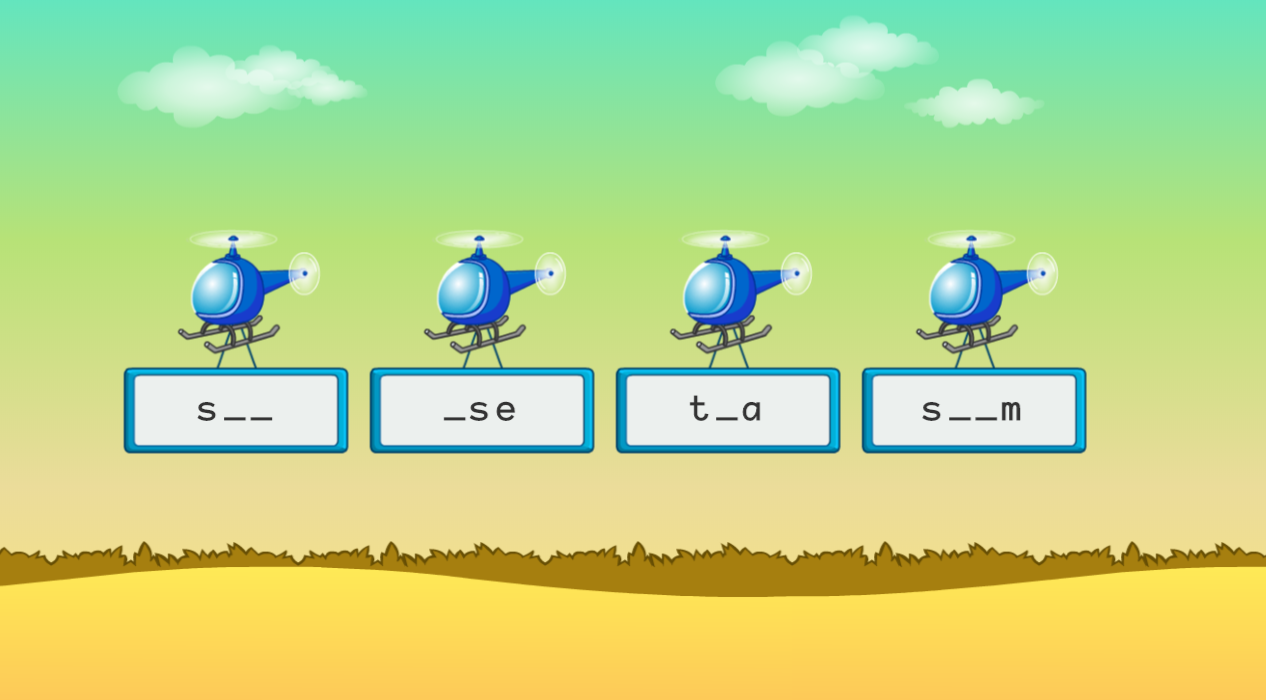

Then there is more practice in choosing the correct words for the sentence. This time around, the entire sentence needs to be typed by the student without getting to see the sentence.


The final activity is sentence maker, where the child just needs to click on the correct word.


Due to the fact that Harold can already read chapter books, he was getting quite bored with these lessons. Which is why I jumped him ahead to Level 4. Unfortunately, Level 4 is more of the same, very repetitive in learning the word from the list. I guess I was expecting the harder levels to add a bit more when it came to grammar and comprehension. 

While the program is adaptive and is supposed to allow the student to skip the word lesson for words they already know, I am confused as to why Harold was able to skip some lessons, such as for "cold" and "seem," but is still having to work through "hot" and "too." 

Unfortunately, Harold is really fighting me when it comes to continuing with this program. He sees it as too boring and easy. I have tried to encourage him, by letting him know that he can be working on improving his typing and memorization and his focus. When I have watched him, the mistakes he makes are simple, such as forgetting to capitalize the first letter in a sentence, or not focusing on the word he should be clicking on. He also gets frustrated that it will show him the word if he makes one of these simple mistakes. I have also noticed that if a student starts typing too soon they are marked wrong and shown the word because it isn't recording the first letter typed. So, I guess that is where patience is needed. But when it is too easy for him, he just wants to get moving along in the lesson.

So, while I think this program would be better for younger children who are not already reading chapter books, I am also conflicted, because it is trickier for younger children as they have to struggle with the keyboard. And while I understand the benefits of repetition, I am still feeling there is an awful lot of repetition of the one word throughout the lesson.

I was really hoping once I saw the more advanced lessons that I would feel more comfortable recommending Reading Kingdom. However, it still boils down to the repetition of the word is working toward the child memorizing the word instead of working on sounds so they can learn to read other words they are introduced to. If phonics isn't for you and your family, or hasn't been working for your child, you may find this program works for you. 

You can find Reading Kingdom on Facebook, Twitter, Instagram, Pinterest, and YouTube.

Don't forget to click on the banner below to see what my fellow Crew Mates have to say about Reading Kingdom or ASD Reading. Some of us reviewed the regular program, while others reviewed the ASD Reading program for children on the Autism Spectrum.

Reading Kingdom & ASD Reading {Reviews}

Thursday, September 6, 2018

Improving Reading Comprehension with Reading Eggspress {A TOS Review}


My kiddos LOVE being able to do their learning on the computer, so I am thrilled when I find sites that the children enjoy, sites where they can't wait for their turn to get on the computer. Reading Eggs is one of those sites. Harold has been using this site for a while now actually. Several months ago we reviewed their math component called Mathseeds, which is one of their newer offerings. They also offer the following: Reading Eggs Junior (ages 2-4), Reading Eggs (ages 3-7), and Reading Eggspress (ages 7-13). Though Harold is only six years old, we discovered he is quite ready for Reading Eggspress. And thanks to the Homeschool Review Crew, we are getting to use it for a few months. 


What is really awesome is that Reading Eggs has come out with workbooks to supplement the lessons on their website. While we did receive a workbook, as did many of my fellow Crew Mates, we didn't really get to utilize it the way we had planned. I will be sharing a bit about the workbook, titled 200 Essential Reading Skills for First Grade, later on in the review; however after we received the book, I realized Harold was beyond it. Remember I mentioned above that we discovered Harold is ready for Reading Eggspress. Well, once we got access to the site, he took the assessment and he placed on the LAST "map" in Reading Eggs. Which meant he was ready for the END of the First Grade workbook we received. I tried to get him to back up and use earlier lessons on the site, ones that would correspond to earlier lessons in the workbook; however, he kept saying he was bored. So, I decided to bump him up to Reading Eggspress instead. 

You see, here is how the assessment works. A child will take the test until they get three answers incorrect. The child will then be placed at the appropriate level. 

Reading Eggs has the following levels:
  • Starting Out (starts at Lesson 1, beginner, assumes no prior knowledge)
  • Beginning to Read (starts at Lesson 41, emergent reader)
  • Building Confidence (starts at Lesson 81, early reader)
From what I can tell, if you feel your child was assessed a bit high, and they are struggling with lessons, a child can easily move down to a previous map to start there. However, if you (or your child) thinks the work is too easy, they can't move ahead without retaking the assessment. 

Once a level has been set, a child is to work their way through the "maps," each of which has ten lessons. 


Throughout the Reading Eggs program, children are introduced to letter sounds, word families, and high frequency words. As they move through the program they will learn to read CVC words, CVCC words, words ending in -y and -ing, CVCe words, and words with different digraphs and blends. As you can guess, when a child completes the Reading Eggs section, they should be able to read a slew of words.

They can then move on to Reading Eggspress. This is the program Harold has been focusing on. This program is divided by grade level (first through sixth grade), with each level having multiple maps as well. Harold did place at the very beginning of the Reading Eggspress program, which is their First Grade level. In all levels, children will read both fiction and nonfiction selections to work on reading comprehension. They are introduced to multiple strategies to help them understand what they are reading. The text type also varies, from narrative, information, and procedure for the younger children, to such things as speeches, scripts, persuasive exposition, and rhyming hexameter verse for the older children. Additionally, there is a wide variety of different genres represented, such as fantasy, humor, realistic fiction, history, art, cooking, biology, poetry, and fables. And that is just a small representation of what is read. 

Reading Eggspress will take a child from Reading Level 7 through Reading Level 33, or from Lexile Level 180L through 1200L. 

Let's take a look at using the program. 

First of all, a computer with good internet access is required. Our internet connection isn't always the best, and with some sites we sometimes have issues; however, we have had no issues getting Reading Eggspress to work.

When we first log in, we come to the family dashboard.


From this dashboard I, as the parent, can see my child's progress for all the programs being used. A parent can also adjust the child's level or have them redo the placement test. A child, on the other hand, will click the start button and will come to a screen where they can choose which program they would like to work in. 


After Harold selects Reading Eggspress he will come to his dashboard, which you can see here:


There are quite a few options for children to choose from. 
  • English Skills appears to focus on spelling. The child will watch videos explaining a specific spelling rule, and will then answer questions.
  • The Stadium is a place where children can practice skills through fun competitive games. They can work on spelling, grammar, vocabulary, or usage at either an easy or difficult level. 
  • My Lessons is where you will find, well, the actual lessons for your child to work on reading comprehension, vocabulary building, and word recognition. They earn eggs for work completed.
  • The Library is where a child can choose a book to read to earn eggs. The child can choose to read the book themselves or have the program read it to them. Then they have to answer questions. They can choose from many subjects and can narrow the books by reading level.
  • Targets are goals that the child can strive to achieve, such as reading a certain number of books, completing so many lessons, getting trading cards, getting pets, getting trophies, and writing reviews. 
  • In the Mall, the child can use the eggs they've earned to buy items for their house, accessories for their avatar, pets, or trading cards. 
  • In the Apartment, the child can check out all the trading cards and trophies they have earned, plus change their avatar's looks, then they can add items and pets to different rooms or move them around.
  • The Trophy Room is just another, quicker way to get to see the trophies earned. The child needs to earn at least a 1000 eggs a week, by playing certain games, completing lessons, and reading books, to earn a bronze medal. These then add up to allow the child to get silver medallions and then gold trophies.
  • The Arcade is where the child can "spend" eggs to play fun, yet educational, games. 
Let's take a closer look at the "My Lessons" portion of the program:

When the child clicks on "My Lessons" they will pull up a map similar to Reading Eggs.


The lessons themselves all have multiple components. A child can see where they are in the lesson by clicking the purple arrow shown in the screenshot below to pull the sidebar out.


There will be an animated video which teaches the child a different strategy for reading comprehension. The first strategy they learn is learning to use "Think Marks," which I had never heard of before. 


They are taught to look at a passage to figure out if there are parts they can "see" in their mind. If there are words they don't understand they mark them with the "W." And they can use the check mark if they want to state they understand a specific part. Additionally if they finish reading and realize they then understand something better, such as the word that originally caused confusion, they can then add the check mark. 

There are many different strategies that will be taught in this program. Such as looking at the main idea and details, answering questions, visualization, and word study. As they advance in the program they will add such strategies as comparing and contrasting, sequencing, making connections, making inferences, making predictions, and analyzing characters.

Here, Harold is answering who, what, when, and where questions.


Each lesson has nine components the child is to work through. Not only will they work on interactive activities to practice the strategy taught, they will also increase their vocabulary and learn to make connections with different words, and they will practice reading or listening to stories and answering questions.  I appreciate knowing that my son is comprehending what is being read to him. He is learning listening skills, and learning to answer both literal questions and ones where he has to infer information, plus he is working on pay attention to details and the main idea. Though he can choose to have the program read a story to him,when he takes the quiz he has to be able to read the questions and the answers himself, and comprehend what he is reading.


He loves that he earns not only eggs, but trading cards by completing these quizzes. 


Here he chose the "Animalia" realm and earned the following card:


I asked him what his favorite things to do on Reading Eggspress are, and he stated he enjoys reading the book passages and answering the questions. One of his favorite activities is answering the "Who, What, When, and Where" questions. He does enjoy playing in the stadium.


However, we have discovered that if he is just "practicing" it doesn't give him any credit on his progress screen. A child has to actually click "VS the World" to be playing for points and credit. He did say he has tried to play, but it takes too long for the program to find enough opponents and they only have a set amount of time online each day, so he clicks on practice instead. I honestly am not sure how long hye considers "too long," so I will have to pay closer attention to him while he is trying to play in the stadium. You know, he's an impatient six year old boy, I'm sure he could probably be exaggerating.

He also mentioned that he doesn't really play in the Arcade very often, as the games are a bit tricky for him. I'll admit, the "Puzzle Parrot" game I played, which is a bit like Hangman, was challenging. He did say he enjoys playing "Food Science," which was sort of cool, because he is getting science in while working on his reading.


He even gets to read a cool proverb when he is done:


There are 11 different games that use a varying amount of eggs to play. Each is education in some way.

Another wonderful component of the program, is that there are activity sheets that can be printed out to help a child practice the concepts they have learned. You simply go to the Family Dashboard and click on "Bonus Material."


There are activity sheets for Reading Eggs, Reading Eggspress, and Mathseeds. For Reading Eggspress I could print out black and white worksheets for Comprehension or for English Skills - Spelling. 

This really is a wonderfully, thorough program. And now they have made it even more awesome by coming out with these workbooks. Now, you might be thinking, as I did, why would I need to purchase a workbook if I can print activity sheets directly from the site. What I have learned from having the 200 Essential Reading Skills for First Grade workbook, is that though the workbook pages are similar, they are not exact duplicates of what you will find on the site. Plus, they are in full color!


Though I can't speak for the Second Grade book that would go with Harold's level of Reading Eggspress, I can show you a bit of a comparison between the one I did receive and the Reading Eggs activity sheets. Harold and I did flip through the book briefly, and I had him read a bit to me and orally work on some of the activities, just to make sure he had mastered these skills. Yes, he was most definitely ready for Reading Eggspress. I could tell by the "Mooommm! This is too easy!"

Here are a couple of the Phonics pages from the workbook for Lesson 111 (this lesson is found on the map Harold placed in).


Here is an activity sheet from the site which most closely resembles it.


Here is a Comprehension page from the workbook from that same lesson. 


And here is the similar, but not quite the same, activity sheet.


 Finally, here is a page that focuses on vocabulary from the workbook.


The corresponding activity sheet is almost identical, but it doesn't include the third activity shown above.


The First Grade workbook is 270 pages in length and has wonderful content. Each group of lessons corresponds to a map on the site. There are four workbook pages per lesson, plus a quiz, certificate, and "Fun Spot" activity. Children will work on phonics, word families, high frequency words, vocabulary, reading and writing, and reading comprehension. At the end of each lesson they will fill in the boxes at the bottom of the page, stating that they completed the online lesson, their egg hatched, and which high frequency words they learned. It also shows which new book on the site they should be able to read.


Personally, I think the workbooks are wonderful resources to help your child get the most out of the program. I would highly recommend NOT ordering a workbook until you have your child signed up on the website, and have the results from the assessment test. That way you will make sure you have the correct workbook to go with the level. I would say the workbook would be worth the investment, even though there are activity sheets on the site for free. With 270 pages in the workbook we received, just think how much ink we are saving. Plus these workbooks are high quality, color workbooks. 

That said, the online program in and of itself is a wonderful stand-alone program if you are not able to justify the cost of the workbooks. Harold is really enjoying his time on Reading Eggspress, and I am glad to see his reading comprehension improving. 

Would you like to try Reading Eggs out? Here's some great news. You can try the online subscription out for free for 4 weeks. Just head on over to the Reading Eggs website. Make sure to use that link and you will get an extra 2 weeks for free. I have also been allowed to offer my readers coupon code for 10% off the workbooks. Just use this code: WK1066SF6AF.

How awesome is that?

You can find Reading Eggs on Facebook, Twitter, Instagram, and Pinterest.

Don't forget to click on the banner below to see what my fellow Crew Mates have to say about the different Reading and Math workbooks.

Online Reading Eggs Suite {Reading Eggs Reviews}
Crew Disclaimer

Thursday, June 2, 2011

Scholastic Summer Reading Challenge

I just found out about this summer reading challenge while I was checking out a post over at Mom's Plans.  She had a link to a post with several different Summer Reading Programs.  So far the one over at Scholastic is the one that caught my eye as the most doable.  If your child is in school the minutes they log in can count toward their school.  "The 20 schools with the most minutes logged will receive recognition in the 2012 Scholastic Book of World Records"

Not only that, but there is currently the opportunity to win a pack of Klutz books until 6/4/11.  All you or your child has to do is log in the minutes they read each day.  At the end of the week, if they hit a specific number of minutes read they also get to spin for a prize. This is for children 15 and under I believe, so even preschoolers can enter this one. At least from what I have seen.  And it seems homeschoolers can too.


Scholastic Summer Challenge

Thursday, February 17, 2011

Free Mighty Book Jr. Subscription!!!

No, this isn't a giveaway.  This is something I found out about at a new blog I found while blog hopping this evening.  Nicole, over at Mom Always Finds Out had posted about a special offer from this great site of animated books.  I have no idea how long this offer is good for, so if you are interested in online reading with your children (ages 2-10) head on over to Mighty Book Jr. and check out all they have to offer.  Like I said, I have no idea how long this promotion code will be good for, however, once it ends, a 1 year subscription is $99.  
mightybookjr.com

In order to take advantage of the promotion you just have to do one simple thing.  After you follow the link to their site, click on the "Subscribe Now" button (not the "Free 2 Week Trial button") it is in the top right hand corner.  You will be directed to the sign up page, where it says, "Subscribing is as easy as 1, 2, 3." DO NOT choose a subscription option.  Go straight to the box that says "Please Enter Your Code Here" and type in learntoread. It is as simple as that. 

You will have access to their great animated books which include classics, fairy tales, nursery rhymes, Beatrix Potter, science and nature and Spanish.  They also have quizzes, puzzles, games and more.

I love that this is their mission:
"Our mission is to make learning to read fun"

Related Posts with Thumbnails